
Download VQB Visual Query Builder – Visual Query Design, SQL Server, T-SQL, Database Tool
Overview
VQB Visual Query Builder is a specialized mobile application designed for users who work with Microsoft SQL Server databases, offering a visual interface to construct T-SQL SELECT queries. Its primary purpose is to simplify the process of database querying by allowing users to build complex SQL statements without writing code manually. This tool is particularly beneficial for individuals who need to retrieve and analyze structured data efficiently but may not have advanced SQL expertise. It serves a broad audience, including database administrators, developers, data analysts, and students learning SQL concepts.
The application addresses the common challenge of writing accurate and efficient SQL queries, especially when dealing with multiple tables, nested conditions, or intricate joins. By providing a visual workflow, it reduces the likelihood of syntax errors and enhances comprehension of query logic. Real-world use cases include generating reports, validating data integrity, and prototyping database interactions during development cycles. The tool is suitable for both non-commercial learning environments and commercial projects, making it a versatile utility in modern data workflows.
Although the developer did not provide additional background details, the application's focus on structured query building and comprehensive guidance through built-in help features suggests a commitment to usability and educational support. In the broader app ecosystem, VQB fills a niche for mobile-optimized SQL tools, enabling on-the-go database interaction and query design, which is increasingly valuable in agile development and remote work scenarios.
Key Features & Functionality
VQB Visual Query Builder delivers a suite of robust features tailored to efficient and accurate SQL query creation. Each functionality is designed to enhance precision, clarity, and ease of use in database interactions.
- Visual Query Designing: Users can build T-SQL SELECT queries through a drag-and-drop interface, where query components are represented visually. This allows real-time visualization of the query structure, improving understanding and reducing syntax errors. For example, a data analyst can quickly assemble a query to extract customer orders by selecting tables and fields without writing raw SQL.
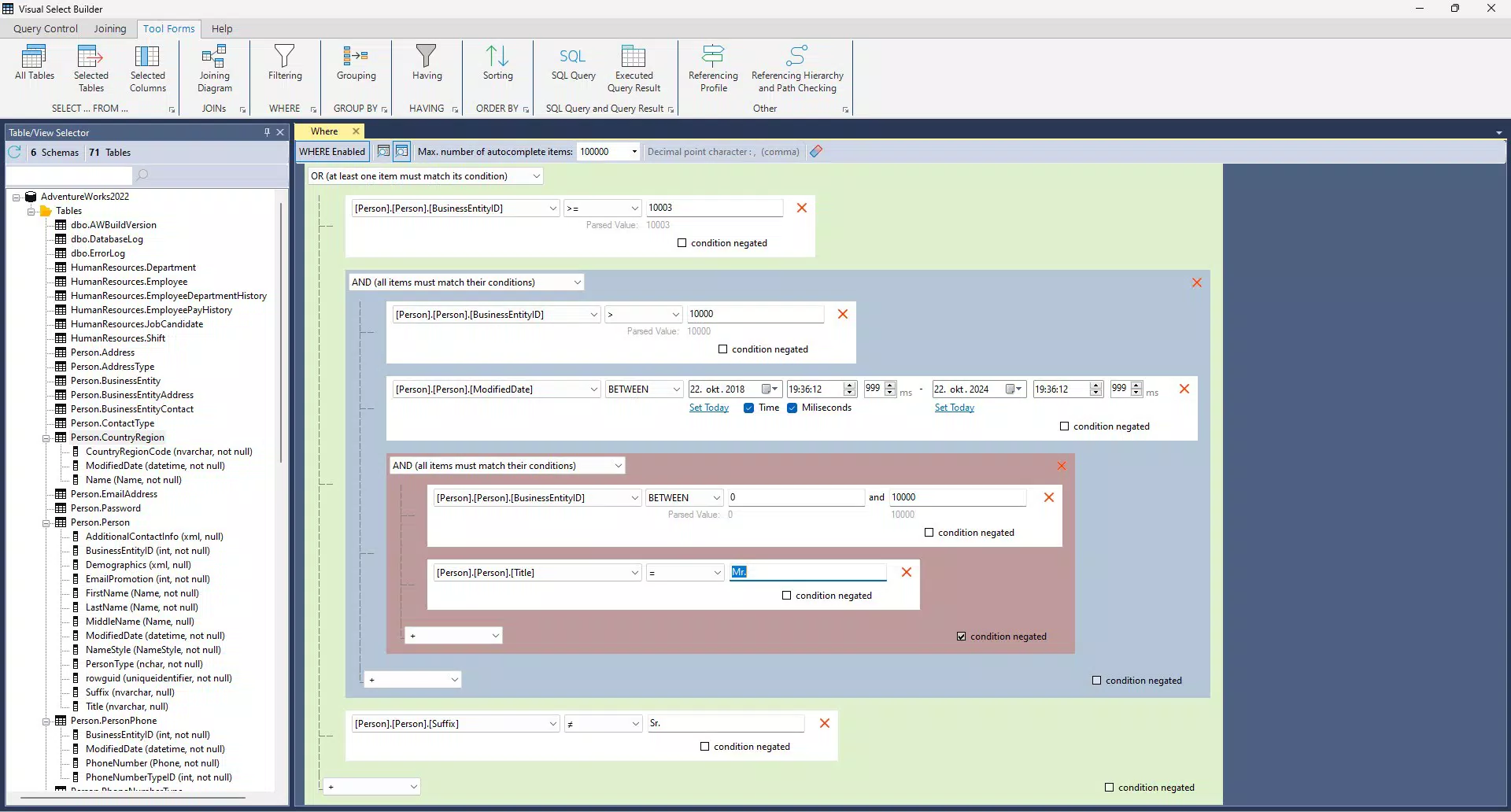
- Advanced WHERE Clause Building: The tool supports complex filtering with nested conditions, enabling users to define precise data retrieval rules. This is ideal for scenarios such as filtering records based on multiple date ranges, status codes, or hierarchical data relationships.
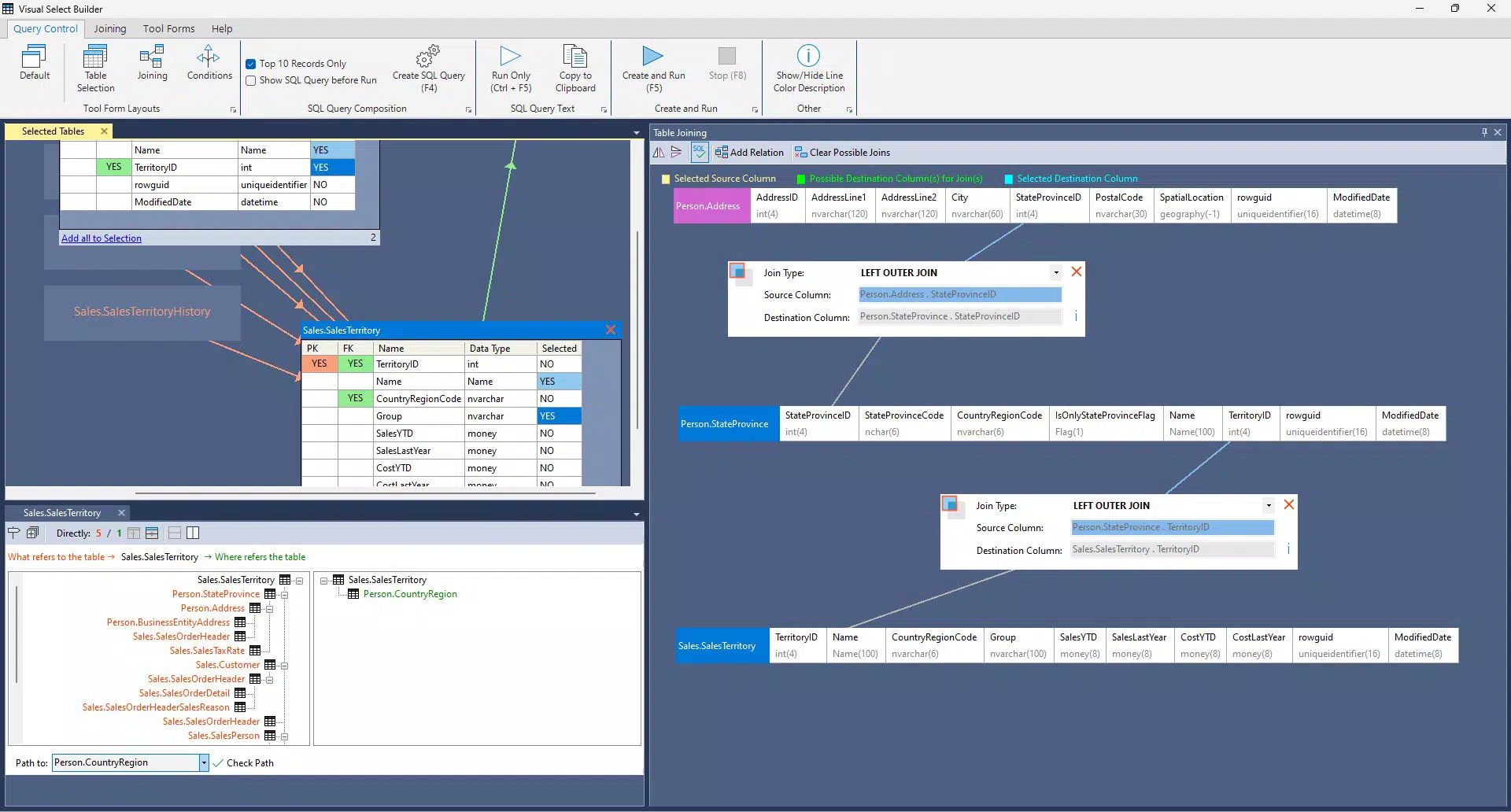
- Multi-table Joining: VQB facilitates joining across multiple tables, with automatic validation of column data types to prevent mismatches. The visual representation of join paths helps users understand table relationships, and self-joining capabilities allow for comparisons within the same dataset, useful in organizational hierarchy analysis.
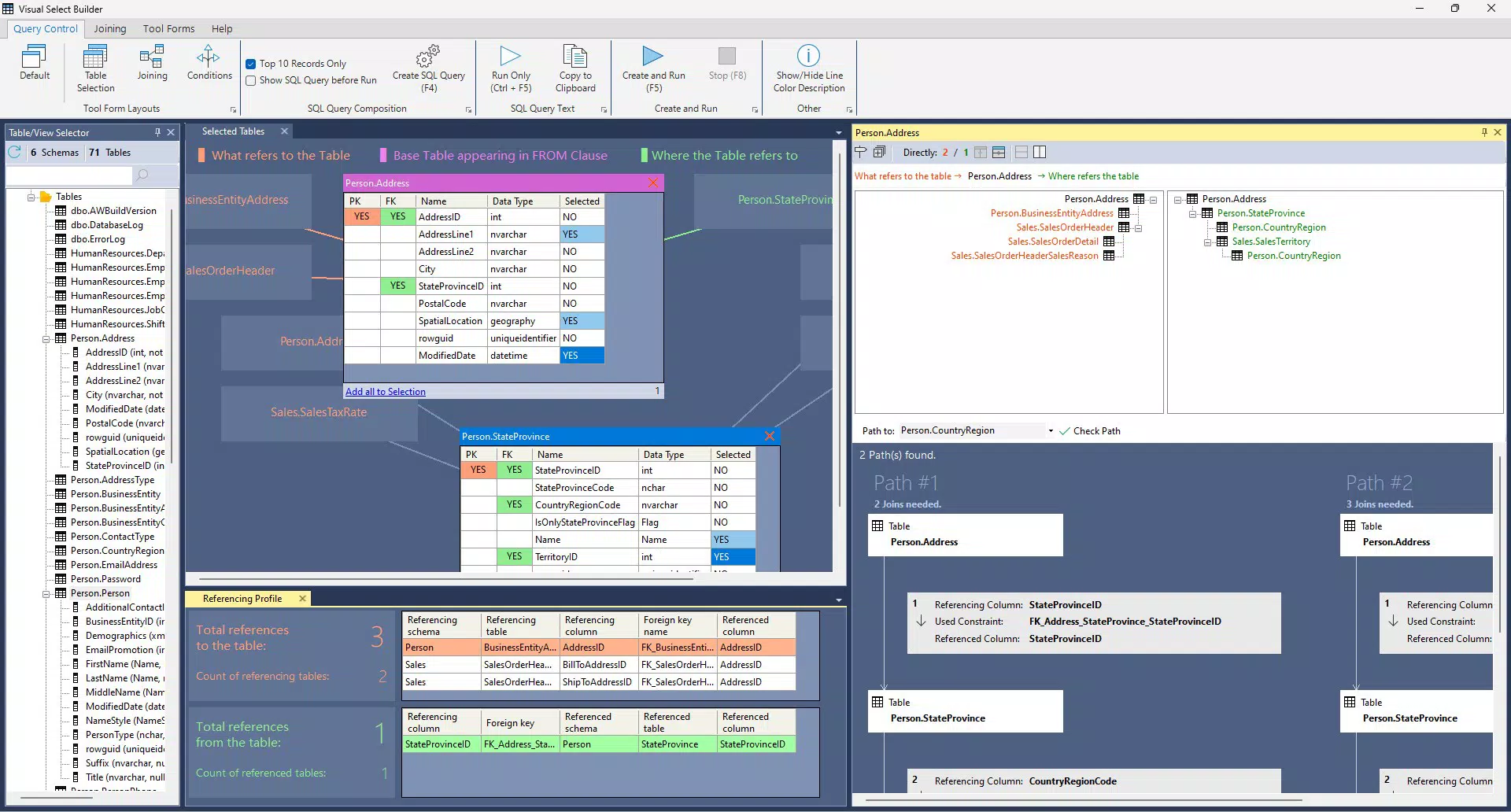
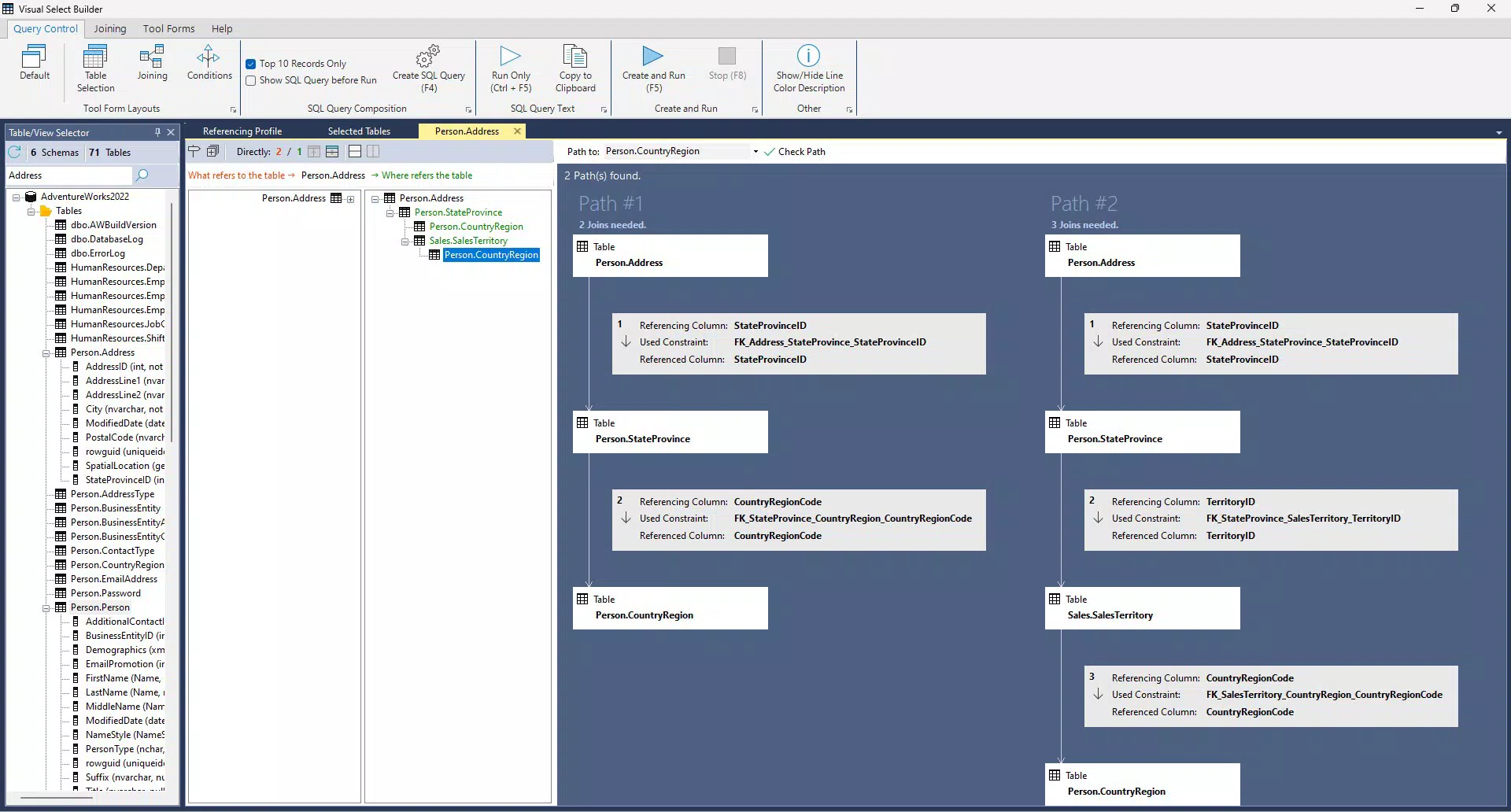
- Referencing Hierarchy Visualization: This feature displays the full network of table constraints, including foreign key relationships. It helps users identify how tables are linked, which is crucial for maintaining referential integrity and designing queries that reflect accurate data dependencies.
- User-friendly Interface: The interface includes a help ribbon with quickstart guidance, ensuring users can begin using the tool effectively from the first session. The layout is clean and intuitive, minimizing the learning curve for new users.
Interface, UX & Performance
The interface of VQB Visual Query Builder is designed with clarity and usability in mind. It presents a structured layout that organizes query components such as tables, columns, conditions, and joins in a logical, visually accessible format. The use of color coding, clear icons, and responsive drag-and-drop elements contributes to a smooth user experience. Navigation is straightforward, allowing users to move between different parts of the query without confusion.
Visual elements such as connection lines between tables and highlighted constraints enhance comprehension of complex relationships. The help ribbon provides contextual guidance, which supports users in understanding each feature’s purpose and application. Although the developer did not list formal performance metrics, the application appears optimized for stability and responsiveness across various device categories, including smartphones and tablets.
Based on available information, the tool maintains consistent performance during query construction and manipulation. The interface remains responsive even when handling multiple tables or nested conditions. The application’s stability during extended use is expected, though detailed stress-testing data was not provided. Users can rely on a consistent experience for designing and refining queries without unexpected crashes or freezes.
Platform Compatibility & Technical Requirements
VQB Visual Query Builder is available for mobile platforms, supporting the operating system specified by the developer. The current software version is {version}, with a file size of {size}. The application is designed to run on devices meeting the system requirements set by the developer, though specific minimum OS versions or hardware specifications were not disclosed.
Compatibility information was not fully disclosed, so users should verify whether their device meets the necessary criteria before installation. The developer did not specify whether the app is available on iOS, Android, or both. Similarly, no details were provided regarding required processor speed, RAM, or storage capacity. Users are advised to consult official sources for updated compatibility data.
Pros and Cons
Pros
- Intuitive visual interface for building T-SQL queries without coding.
- Supports advanced filtering and complex multi-table joins.
- Includes referencing hierarchy visualization for improved data integrity.
- Offers built-in help features to guide new users.
- Designed for both learning and professional database tasks.
Cons
- Specific platform availability was not disclosed.
- Minimum OS and hardware requirements were not listed.
- Performance under heavy load or large datasets was not tested or reported.
- Updates and release frequency were not specified.
- Integration with external database systems beyond SQL Server was not confirmed.
FAQ
Is VQB Visual Query Builder secure for handling sensitive data?
The developer did not provide specific details about data encryption or security protocols. Users should ensure that sensitive database connections are managed through secure networks and avoid storing credentials within the app.
Can I use VQB Visual Query Builder on both Android and iOS?
Platform availability was not fully disclosed. The app may be available on one or both platforms, but this information was not specified in the provided data.
Does the app require an internet connection?
Based on the current information, it is unclear whether an internet connection is required. The tool may function offline once installed, especially if it operates locally on the device.
How often are updates released?
The update schedule was not disclosed by the developer. Users should monitor official channels for new versions and improvements.
Can I export or save my queries?
Export functionality was not mentioned. The ability to save or share queries may depend on future updates or external integrations.
Final Thoughts
VQB Visual Query Builder stands out as a focused and practical tool for anyone working with Microsoft SQL Server on mobile devices. Its visual approach to T-SQL query construction significantly lowers the barrier to entry for users who are still mastering SQL syntax, while also offering advanced features that benefit experienced professionals. The ability to visualize table relationships, build complex filters, and join multiple datasets visually enhances both accuracy and efficiency in data retrieval.
While some technical details remain unspecified, the app’s core functionality is clear, reliable, and well-suited for both educational and professional environments. Its emphasis on usability and structured guidance makes it a valuable addition to the mobile database toolkit. Whether you're a student learning SQL, a developer prototyping queries, or a data analyst preparing reports, VQB provides a powerful, mobile-first solution.
Download VQB Visual Query Builder now to streamline your database workflows and elevate your SQL experience on the go.


